
AI Video Generation Models Compared: Specs, Cost per Clip, and Which to Call (2026)
Short answer: the field splits into text-to-video engines, image-to-video animators and audio-capable models. On LumozAI, the cheapest usable clip is $0.165 for 5 seconds, made with Lumoz Video at 480P.
You have a shortlist of AI video generation models and no clear way to choose between them. The question that decides it is which model to call for your job, and what one finished clip costs you. This page answers both with the numbers shown, so you can check the arithmetic.
Short answer: the field splits into text-to-video engines, image-to-video animators and audio-capable models. On LumozAI, the cheapest usable clip is $0.165 for 5 seconds, made with Lumoz Video at 480P.
Below: the four axes that decide a model choice, a spec table for what LumozAI runs alongside the outside families, worked costs for each model, a cost table for finished deliverables, a job-to-model list, one API for all of them, and the limits you will hit.
How AI video generation models differ
Four things change what you can make and what you pay.
Text-to-video vs image-to-video
Text-to-video starts from a prompt. Image-to-video starts from a still and animates it. If you already have a product shot, a storyboard frame or a character design, image-to-video gives you control over the first frame that a prompt cannot. Lumoz Video handles both: its optional first_frame_image turns a text job into an image-driven one.
Clip length
Most models return one short clip, so anything longer gets assembled from segments. Lumoz Video runs 4 to 15 seconds, P Video up to 10 seconds, and Seedance 1 Lite bills per second across a 1 to 20 second range.
Resolution and frame rate
480P is enough for a draft or a phone screen. 720p covers most social and web placements. 1080p is where fine detail survives, and it usually doubles the per-second rate. Image to Video takes a frames_per_second value (24 in the sample code) when you need to match existing footage.
Native audio
Audio in the same call saves a second model and a sync pass. Seedance 1 Lite has a generate_audio switch for sound synchronized with the video. P Video accepts audio as an input rather than making it. Lumoz Video and Image to Video return silent clips, which you score separately.
| Axis | Models that win it | Why |
|---|---|---|
| Text-to-video | P Video, Seedance 1 Lite, Lumoz Video | Prompt in, clip out, no source image |
| Image-to-video | Lumoz Video (first and last frame), Image to Video, P Video | Starts from a still you control |
| Clip length | Lumoz Video (4 to 15s), Seedance 1 Lite (per-second billing to 20s) | Longer single takes before you stitch |
| Resolution | Seedance 1 Lite (1080p) | Only LumozAI video model with a listed 1080p rate |
| Native audio | Seedance 1 Lite (generate_audio) |
Sounding clip in one call |
The main AI video generation models, compared
The four LumozAI rows carry the platform's published prices. The outside rows say what each family does and leave the price blank, because those rates move.
| Model | Inputs | Max duration | Resolution | Audio | Price per clip | Best for |
|---|---|---|---|---|---|---|
| Lumoz Video | Prompt, optional first and last frame images | 15s (4 to 15) | 480P, 768P | No | $0.165 for 5s at 480P; $0.50 for 10s at 768P | Per-second default, image-to-video, frame interpolation |
| Image to Video | Prompt, image, resolution, frames_per_second | Set by the model | 480p, 720p | No | $0.35 per generation | Animating one still with a fixed frame rate |
| P Video | Prompt, image, duration, optional last frame | 10s | Not listed on the page | Audio as input | $0.20 per run | Cheap drafts, audio-to-video, iteration |
| Seedance 1 Lite | Prompt, image, duration, resolution, generate_audio | 1 to 20s billed | 480p, 720p, 1080p | Yes, synchronized | $0.165 for 5s at 720p; $0.33 for 5s at 1080p | Clips that need sound in one call |
| Veo (not run on LumozAI) | Text prompts, per outside testing | - | - | Yes, with lip-sync | - | Dialogue and narration |
| Sora (not run on LumozAI) | Text prompts, per outside testing | 12s in one test | - | Yes | - | Prompt fidelity in complex scenes |
| Kling (not run on LumozAI) | - | - | - | - | - | Human motion, per the same test |
| Runway (not run on LumozAI) | Text, image or clip | - | - | Dialogue, voiceover, music tools | - | Film-making and editing |
| Wan (not run on LumozAI) | - | - | - | - | Open weights, no per-clip rate | Open-weights quality leader |
| Hailuo (not run on LumozAI) | - | - | - | - | - | Major family in the same tests |
| Stable Video Diffusion (not run on LumozAI) | - | - | - | - | Open model family | Self-hosted experiments |
A dash means the sources linked below do not publish that figure. Outside prices change often, so check the vendor's current rate before you budget. The AI video generation models collection lists what runs on LumozAI today, and the model directory shows all 78 models, 4 of them billed per second.
Lumoz Video: the per-second default
Lumoz Video is the model to call when you want a predictable bill. It takes durations from 4 to 15 seconds, six aspect ratios (16:9, 9:16, 1:1, 4:3, 3:4 and 21:9), and bills at $0.033/sec for 480P or $0.050/sec for 768P. Parameters are prompt, first_frame_image, last_frame_image, duration, aspect_ratio and resolution.
Two optional images do more than they look like. A first_frame_image turns it into an image-to-video call, and the video inherits the aspect ratio of that image, so you stop guessing at framing. A last_frame_image gives you frame-to-frame interpolation: both ends are fixed and the model fills the motion between them.
Worked costs:
- 5 seconds at 480P: 5 x $0.033 = $0.165
- 10 seconds at 768P: 10 x $0.050 = $0.50
- 15 seconds at 480P: 15 x $0.033 = $0.495
The 21:9 ratio is the one worth remembering for anything that ends up on a desktop page or a wide banner, since most models stop at 16:9. Full parameter detail is on the Lumoz Video model page.
Image to Video: animating a still
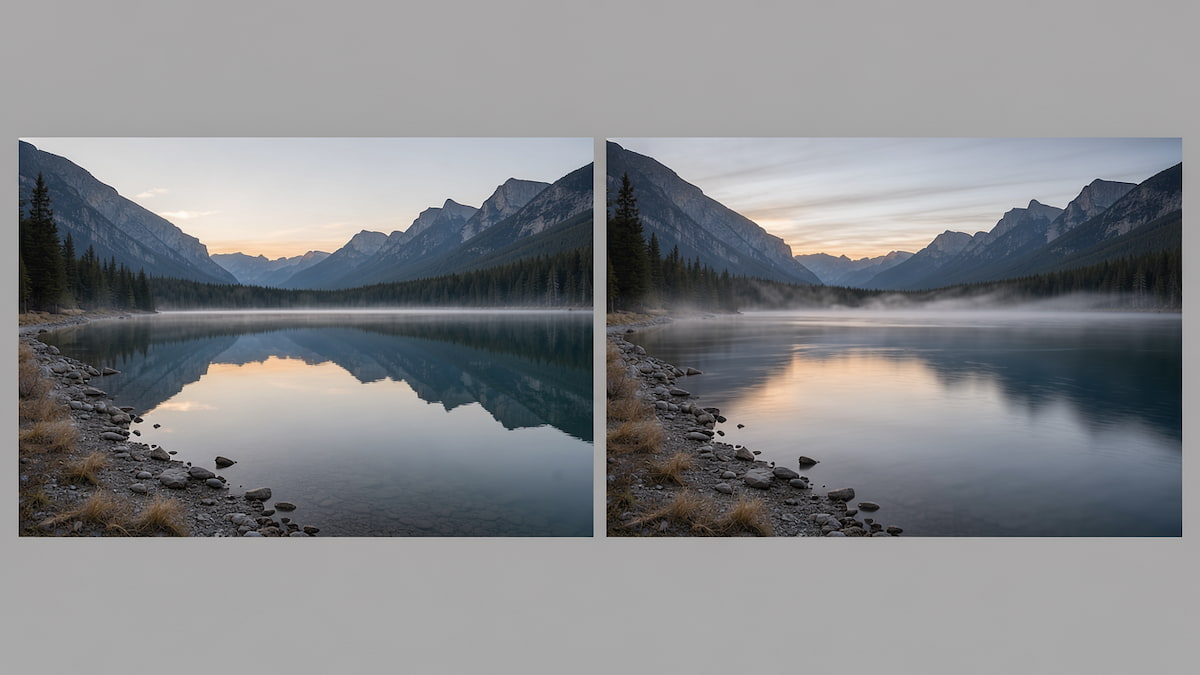
Image to Video is the per-run route: $0.35 per generation, which the page also states as $350.00 per 1,000 generations. It takes a prompt, an image, a resolution of 480p or 720p, and a frames_per_second value (24 in the sample code).
That flat fee is fine for one hero clip and expensive for a batch. Compare it with the per-second route on the same job:
- One 5-second clip at 480p: Image to Video is $0.35. Lumoz Video at 5s and 480P is 5 x $0.033 = $0.165.
- Three 5-second clips: Image to Video is 3 x $0.35 = $1.05. Lumoz Video is 3 x $0.165 = $0.495.
- Ten 5-second clips: Image to Video is $3.50. Lumoz Video is $1.65.
So the per-run route costs about $0.185 more per short clip. Use it when you want the fixed frame rate and the single flat charge. For anything past a clip or two, Lumoz Video is cheaper. Details are on the Image to Video model page.
P Video: draft mode and audio-to-video
P Video is $0.20 per run and does three jobs in one endpoint: text-to-video, image-to-video and audio-to-video. It takes prompt, image, duration (a 0 to 10 slider) and an optional last_frame_image. The page describes built-in draft mode for rapid creative iteration.
Call it while you are still deciding. A draft pass at $0.20 tells you whether the shot works before you spend per-second money on a final. Ten drafts cost $2.00, and you promote only the two or three that survive. The audio input is the other reason to reach for it: you can drive the clip from an existing track instead of generating sound afterwards.
See the parameter list on the P Video model page.
Seedance 1 Lite: text and image to video with optional audio
Seedance 1 Lite is the row to point at when the job needs a sounding clip in one call. It does text-to-video and image-to-video, takes a duration slider from 2 to 12, and offers 480p, 720p and 1080p. The generate_audio parameter is described as "Whether to generate audio synchronized with the video."
Billing is per second of generated video, across 1 to 20 seconds:
- 720p HD: $0.033/sec. A 5-second clip is 5 x $0.033 = $0.165. A 10-second clip is $0.33.
- 1080p Full HD: $0.066/sec. A 5-second clip is 5 x $0.066 = $0.33. A 10-second clip is $0.66.
There is also a 720p Draft Mode listed at 50% off, which is worth checking on the page when you plan an iteration-heavy job. Rates and parameters are on the Seedance 1 Lite model page.
The other model families: what each is known for
These families do not run on LumozAI. Each block below states only what the dated source says.
Veo
Zapier's roundup of AI video generators reports that on Google Veo, "Any dialogue or narration script you add is rendered with consistent high quality, with incredible lip-sync", and that it happens without extra configuration. The same source notes the model "sometimes struggles in complex scenes with lots of movement and characters", and suggests breaking projects into simpler scenes. Zapier's all-around pick is Google Veo 3.1. In a separate January 2026 test of 10 models, Veo cost the tester over $3 on one clip and got the location wrong.
Sora
In the same January 2026 test, Sora-2 produced a 12-second clip with audio in 166.6 seconds at a cost of $1.08, and the tester judged it the best output of the ten. The test's total was $9.86 for 10 videos across 10 models at maximum settings. Sora-2 and Sora-2-Pro both appear in the model list.
Kling
Kling is one of the major families in that test, with Kling-2.6-Pro and Kling-2.1-Master both run. None of the sources linked here states its clip length, resolution or price.
Runway
Zapier describes Runway as offering "Multiple AI models for different film-making tasks", with a steep learning curve and a film-making focus. Runway's product page covers generating video from text, an image or a clip, character consistency and dialogue tools.
Wan
The open-weights roundup at Morphic calls Wan, from Alibaba, "the common answer for overall open weights quality". Wan-2.6 and Wan-2.5 both appear in the January 2026 test.
Hailuo
Hailuo is a major family in the same tests. None of the sources linked here states its specs or price.
Stable Video Diffusion
Stable Video Diffusion is an open model family. None of the sources linked here gives a clip length, resolution or price for it.
What a clip actually costs
Per-unit rates are not what you pay. What you pay is the finished deliverable. Here is the cost table, built from the LumozAI rates above, with the arithmetic shown so you can check every line.
| Deliverable | Model and rate | Arithmetic | Cost |
|---|---|---|---|
| One 5s clip at 480P | Lumoz Video, $0.033/sec | 5 x $0.033 | $0.165 |
| One 5s clip at 768P | Lumoz Video, $0.050/sec | 5 x $0.050 | $0.25 |
| One 10s clip at 768P | Lumoz Video, $0.050/sec | 10 x $0.050 | $0.50 |
| 60-second cut, assembled from 5s clips at 480P | Lumoz Video, $0.033/sec | 12 clips x $0.165 | $1.98 |
| Same 60-second cut at 768P | Lumoz Video, $0.050/sec | 12 clips x $0.25 | $3.00 |
| 30-clip social batch, 5s each at 480P | Lumoz Video, $0.033/sec | 30 x $0.165 | $4.95 |
| 30-clip social batch, 5s each at 768P | Lumoz Video, $0.050/sec | 30 x $0.25 | $7.50 |
| One 5s sounding clip at 720p | Seedance 1 Lite, $0.033/sec | 5 x $0.033 | $0.165 |
| One 5s sounding clip at 1080p | Seedance 1 Lite, $0.066/sec | 5 x $0.066 | $0.33 |
| One 5s clip from a still, per-run route | Image to Video, $0.35/run | 1 x $0.35 | $0.35 |
| One draft pass before a final | P Video, $0.20/run | 1 x $0.20 | $0.20 |
A full minute of finished 480P video comes to $1.98, which changes how you plan a project: you can afford to regenerate a segment you don't like. The same arithmetic makes a P Video draft at $0.20 cheap next to a Lumoz Video final at $0.165 to $0.50.
Against that, the AI video generation models collection notes that Runway and Sora subscriptions run $15 to $30 per month, while LumozAI charges strictly pay-as-you-go with zero subscription lock-in. At $0.165 a clip, $15 buys about 90 five-second 480P clips, and only if you make them.
Which model should you use?
Start from the job you need done.
- Social short from a prompt: Lumoz Video at 9:16, 5 seconds, 480P. $0.165.
- Animating a product photo: Lumoz Video with
first_frame_imageset, 5 seconds, 768P. $0.25. - A clip that needs sound: Seedance 1 Lite with
generate_audioon, 5 seconds, 720p. $0.165. - A long sequence built from segments: Lumoz Video, 15-second segments at 480P, stitched. $0.495 per segment.
- Draft then final: P Video for the draft, Lumoz Video for the final. $0.20 then $0.165.
- Frame-to-frame interpolation between two stills: Lumoz Video with both
first_frame_imageandlast_frame_image, 5 seconds at 480P. $0.165. - Fixed frame rate for a still you already have: Image to Video at 720p. $0.35.
- Audio-driven clip: P Video with an audio input, up to 10 seconds. $0.20.
- Open-weights experiment: Wan or Stable Video Diffusion, self-hosted. No LumozAI rate; you pay for your own compute.
Running any of these through one API
Every model above uses the same endpoint: POST https://lumozai.com/api/v4/run. You change the model_id and the parameters, and nothing else. Authentication is a Bearer token in the Authorization header.
Long jobs run asynchronously. You get a request_id back and poll for the result, or you pass a webhook_url and the platform calls you when the clip is ready. The API documentation covers both patterns.
A cURL call for a 5-second Lumoz Video clip:
curl -X POST https://lumozai.com/api/v4/run \
  -H "Authorization: Bearer $LUMOZ_API_KEY" \
  -H "Content-Type: application/json" \
  -d '{
    "model_id": "lumoz-video",
    "prompt": "slow push-in on a ceramic mug on a wooden table, morning light",
    "duration": 5,
    "aspect_ratio": "9:16",
    "resolution": "480P"
  }'
The same call in Python, with the model swapped for a sounding clip:
import requests

resp = requests.post(
    "https://lumozai.com/api/v4/run",
    headers={"Authorization": f"Bearer {API_KEY}"},
    json={
        "model_id": "seedance-1-lite",
        "prompt": "a barista pours a flat white, close on the cup",
        "duration": 5,
        "resolution": "720p",
        "generate_audio": True,
    },
)
print(resp.json()["data"]["output"])
One key covers the image and language models too. A pipeline that writes the prompt with a language model, makes the still with an image model and then animates it needs one account, one balance and one bill. That saves bookkeeping when you test a dozen prompts a day across three model types.
Where the models fall short
Six limits come up again and again.
- Clip length caps. Lumoz Video stops at 15 seconds and P Video at 10. For anything longer, generate segments and stitch them. A 60-second cut is 12 five-second clips or 4 fifteen-second clips. The longer takes cost the same per second, so use them only if the motion holds across the whole shot.
- Resolution ceilings. Lumoz Video tops out at 768P and Image to Video at 720p. If you need 1080p from LumozAI, Seedance 1 Lite is the model with a listed rate at that size. Otherwise render at the highest available setting and upscale.
- Hands and text. Small, detailed objects and on-screen words are where these models break. Keep text out of the generated frame and add it in your editor, and frame hands small or out of shot.
- Audio that drifts from lip movement. Even models that generate sound can slip out of sync on a long take. Keep sounding clips short, and check sync at the cut rather than in the middle of a shot.
- Cost climbing on long sequences. A 5-minute video is 60 five-second clips at $0.165, or $9.90 at 480P. Draft at $0.20 a run in P Video, approve the shot list, then spend on finals.
- Inconsistent subjects across clips. The same prompt twice gives you two different characters. Anchor each segment with a
first_frame_imageso the model starts from the same still every time.
Outside testing agrees on the last point. The January 2026 comparison found that prompt accuracy matters more than visual beauty, that "AI audio isn't great yet", that "More expensive doesn't mean better", and that some models cut the video or changed the aspect ratio without being asked. Budget for one or two retries per shot.
FAQ
Which AI model is best for video generation?
There is no single best, because the models differ on inputs, length, resolution and audio. On LumozAI, Lumoz Video is the default for per-second work at $0.033/sec for 480P, Seedance 1 Lite is the one to call when the clip needs synchronized sound, and P Video is the cheapest way to draft at $0.20 per run. Outside testing found that a more expensive model is not automatically a better one.
What is the difference between text-to-video and image-to-video?
Text-to-video generates a clip from a written prompt alone, so the model decides the framing, subject and lighting. Image-to-video starts from a still you supply, so the first frame is exactly what you designed. Lumoz Video does both through its optional first_frame_image parameter, and Image to Video is a dedicated per-run model for the second case.
How much does a 5-second AI video cost?
On LumozAI, a 5-second clip at 480P with Lumoz Video costs $0.165 (5 x $0.033). The same length at 768P is $0.25, a 5-second 720p clip with sound from Seedance 1 Lite is $0.165, and the per-run Image to Video route is $0.35. There is no subscription, so you pay only for the clips you generate.
Can I use generated video commercially?
Yes. All videos generated through Lumoz AI models include full commercial rights with zero royalties and unwatermarked master exports, as stated on the AI video generation models collection page. That applies to client work and paid campaigns, not just personal projects. Check the terms for any outside model separately, since their licenses differ.
Start with one clip
You don't need a plan before you test. Create an account, get a key, and top up from a $10 minimum. That balance buys about 60 five-second 480P clips with Lumoz Video, enough to learn what the model does with your prompts.
Test in the LumozAI Studio first. It runs the model with no code, so you can try durations, aspect ratios and a first frame image before you write a request. When the output looks right, copy the parameters into your code and call the same endpoint.
If you work inside an AI editor or with Lumoz LLM, the LumozAI MCP connector lets the assistant run these models for you. Rates for every model are on the pricing page, and the Sora alternative API guide covers how to move a pipeline over.
Recommended from LumozAI

Veo 3 in 2026: What It Costs per Second and How to Run It
Veo 3 is Google DeepMind's video generation model, with Veo 3.1 delivering 4, 6, and 8-second clips with native audio. This comprehensive guide breaks down pricing per second across Gemini API and Vertex AI, true cost per clip with retakes, and affordable Lumoz AI alternatives.

Higgsfield MCP Alternative: Why Developers Are Switching to LumozAI (No Subscription Required)
Comprehensive 2026 technical breakdown comparing Higgsfield MCP against LumozAI MCP. Discover how Lumoz eliminates the $15–$129/mo recurring subscription lock-in with pure pay-as-you-go pricing, 78+ multi-modal models (video, image, music), and open-source agent skills for Claude and Cursor.
Cheapest AI Video Generators in 2026: Cost-Per-Second Benchmark & Ranked Models
Objective 2026 benchmark ranking the cheapest AI video generators by cost per second, clip pricing, and rendering fidelity—comparing Lumoz Video ($0.033/sec), Seedance 1 Lite, Wan 2.1, Runway Gen-3, Kling AI, and Sora.