
AI Image Generation Models: What Each One Costs Per Image (2026)
One image costs $0.015 on Chippy and $0.15 on FLUX 3 Image at 4k. This guide prices every image model on the LumozAI API one by one, explains input limits and resolution tiers, and calculates what 1,000 images costs at each tier.
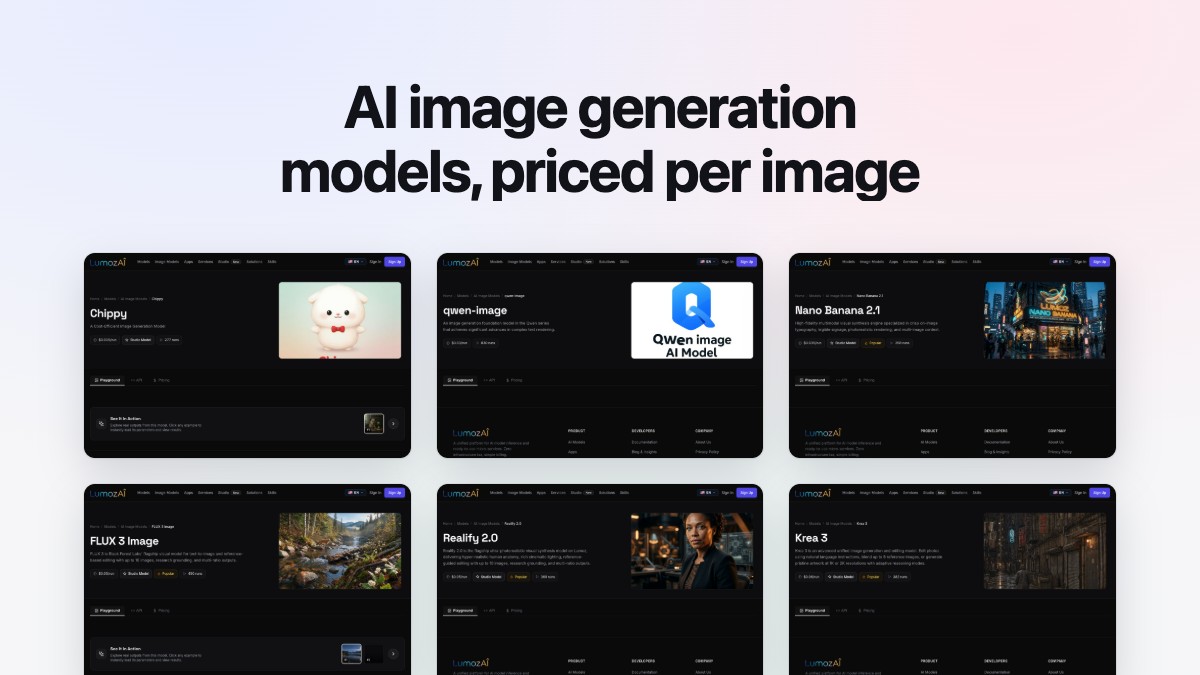
One image costs $0.015 on Chippy and $0.15 on FLUX 3 Image at 4k. That is a tenfold spread for the same thousand images, and it is the number most roundups of AI image generation models leave out while they argue about which one looks better.
This page prices every image model on the LumozAI API one by one, says what each one accepts as input, and works out what 1,000 images costs at each tier. Every figure comes from the model's own page, linked where it appears. The full list sits in the AI image generation models collection.
The short answer
For most jobs, start with FLUX 3 Image at $0.05 per run at 1k. It takes up to 10 reference images, runs as an edit when you pass them, and prices by resolution tier, so you can buy 768sq at $0.03 while you iterate and 1k at $0.05 for the render you keep. One model covers text-to-image and reference-based editing, which means one integration instead of two.
For cost, Chippy at $0.015 per run is $15 per 1,000 images, with Basic and Pro quality modes and custom width and height. SDXL Lightning costs less per second at $0.0023, but it bills by compute time, so your per-image cost depends on how long your own runs take.
For text inside the image, Nano Banana 2.1 at $0.035 per run takes up to 14 reference images, the highest cap on the API, and charges the same $0.035 at 1K, 2K or 4K. Its prompt field asks for exact words or typography in quotes. If you need a seed you can pin, qwen-image at $0.03 exposes one alongside inference steps and guidance, and its page is built around complex text rendering.
Those three cover most builds. The rest of the page explains when to pick something else.
What each AI image generation model costs per image
Two billing shapes sit on the same API, and they compare badly unless you keep them apart. Flat per-run models charge one price whatever resolution you pick. FLUX 3 Image and Realify 2.0 charge by output size, so the price below is the 1k default and the rest of their ladder sits underneath it.
| Model | Price per image | What it accepts as input | What it suits |
|---|---|---|---|
| SDXL Lightning | $0.0023/sec | Prompt, negative prompt, width, height, seed | High-volume drafts; billed per second, not per image |
| Lumoz Vision | $0.005 | Image or video URL, perception query, max tokens | Reading an image back: OCR, lighting, style, prompt extraction |
| Chippy | $0.015 | Prompt, quality (Basic or Pro), ratio or custom width and height | High-volume drafts and thumbnails |
| p-image-edit | $0.015 | Prompt and one or more images (both required), aspect ratio | Multi-image edits at volume |
| image-01 | $0.02 | Prompt, subject reference image, aspect ratio | Character consistency from one reference |
| Moondream2 Visual Query | $0.02 | Image, query | Visual question answering, not generation |
| Reve Create | $0.026 | Prompt, aspect ratio (required), seed | Cheap generation with a reproducible seed |
| qwen-image | $0.03 | Prompt, negative prompt, aspect ratio, image size, inference steps, guidance, seed | Complex text rendering, tuned runs |
| Nano Banana 2.1 | $0.035 | Up to 14 reference images, aspect ratio, 1K/2K/4K, jpg or png | Typography, signage, multi-image context |
| Imagen3 | $0.035 | Prompt only | Straightforward text-to-image |
| dreamina-3.1 | $0.04 | Prompt, ratio or custom width and height, seed | 4MP cinematic stills with style control |
| seedream-4 | $0.04 | Prompt, image input, size (1K/2K/4K, required), aspect ratio, sequential generation up to 15 images | Single-sentence edits and image batches |
| photon | $0.04 | Prompt, image reference with weight, style reference with weight, aspect ratio | Style transfer from a reference |
| Interior Better Wall | $0.04 | Prompt and image (both required) | Interior wall restyling |
| GPT Image 2.5 Flare | $0.045 | Prompt, aspect ratio, quality, reference images, output format, background | Non-Latin scripts, fine typography, cutouts |
| gpt-image-2 | $0.047 | Prompt, input images, quality (auto to high), background, output format, three ratios | Instruction-following edits, sharp text |
| Seedream 4.5 | $0.05 | Prompt, image input, aspect ratio | Spatial understanding and world knowledge |
| FLUX 3 Image | $0.05 at 1k (tiered) | Up to 10 reference images, 15 aspect ratios, resolution tier, research grounding, output quality, safety tolerance | Reference-driven editing, layout control |
| flux-1.1-pro | $0.05 | Prompt, image prompt, aspect ratio, seed, output format, output quality | Prompt adherence and output diversity |
| imagen-4 | $0.05 | Prompt, aspect ratio | Preview-tier photorealism |
| Realify 2.0 | $0.05 at 1k (tiered) | Reference images (required, up to 10), aspect ratio, resolution tier, research grounding | Photorealistic people, character consistency |
| Lumoz Image | $0.055 | Prompt, optional reference images, aspect ratio, 1 to 4 variations, output format | Typography, multilingual script, variations per call |
| Krea 3 | $0.06 | Instruction, up to 8 reference images, 1K or 2K, thinking mode, regional edit, negative prompt, seed | Editing with reasoning, regional repaints |
| Flux 2 Pro | $0.09 | Prompt, up to 8 reference images, output format, aspect ratio | High-end generation and editing |
| Grok Imagine 2 | $0.095 | Prompt, optional reference image, aspect ratio, 1K or 2K, quality mode | Stylized and surreal concept art |
Two entries in that list are not image generators. Lumoz Vision and Moondream2 Visual Query take an image in and return text, so they belong in a validation step rather than a render step. They are useful for checking what a model rendered, and they are not what you budget for generation.
Lumoz Image is priced at $0.055 on its model page. Some copy on the collection page still quotes $0.038, so check the model page before you plan volume.
The resolution-tiered models
FLUX 3 Image and Realify 2.0 share one price ladder: $0.03 at 768sq, $0.05 at 1k, $0.07 at 1.5k, $0.09 at 2k and $0.15 at 4k. Both take up to 10 reference images and both offer research grounding.
The difference is the input rule. Realify 2.0 marks reference images as required, so it cannot run as pure text-to-image. FLUX 3 Image runs either way, and when you pass a reference the run becomes an edit and the first image drives the auto aspect ratio.
The per-second model
SDXL Lightning bills at $0.0023 per second, which its page quotes as $2.30 per 1,000 seconds. The collection page lists it at $0.002 per generation, so the two figures differ, and the per-second rate is the one the model page shows. It is a 4-step model, so a single image takes a fraction of a second and the per-image cost lands well under a cent. Time your own runs before you plan a budget around it.
How to compare models without a benchmark
A score out of ten tells you what someone else liked on prompts you will never run. These four checks tell you what your code will do at 3am.
Reference image limits
The cap decides whether a model can hold a product, a face and a background in one call. Nano Banana 2.1 allows 14. FLUX 3 Image and Realify 2.0 allow 10. Krea 3 and Flux 2 Pro allow 8. image-01 takes one subject reference and Grok Imagine 2 takes one optional reference image. Imagen3 and imagen-4 take no image input at all, so they cannot do a reference-driven edit.
When a model's page says "up to 10", check if the field is required or optional. Realify 2.0, p-image-edit and Interior Better Wall mark the image as required, so a pipeline that sometimes calls them with no reference will fail that call.
Whether the seed is exposed
A seed you can set is what makes a run reproducible, and reproducibility is what makes a regression test possible. On this API the seed is exposed on qwen-image, SDXL Lightning, dreamina-3.1, Reve Create, flux-1.1-pro and Krea 3. It is not in the documented parameter list for FLUX 3 Image, Nano Banana 2.1, GPT Image 2.5 Flare, gpt-image-2, seedream-4, Seedream 4.5, Flux 2 Pro, imagen-4, Imagen3, image-01, Realify 2.0, photon or Chippy.
That does not make those models unusable. It means you cannot promise a client the same image twice, so store the output URL and the exact request body whenever a render is approved.
How resolution affects price
On flat per-run models, resolution is free or nearly so. Nano Banana 2.1 charges $0.035 at 1K and at 4K. seedream-4 charges $0.04 at 1K, 2K or 4K. Krea 3 charges $0.06 at 1K or 2K. Grok Imagine 2 charges $0.095 at 1K or 2K.
On FLUX 3 Image and Realify 2.0, resolution is the price. Moving from 768sq to 4k multiplies the bill by five. If your build renders at 1k and upscales, you are paying $0.05 where a 4k render would cost $0.15. Generate at the size you will ship, not the largest one the model offers.
What happens on a failed run
A failed run should cost nothing. The refund policy says any balance reserved or deducted for an interrupted, timed-out or failed task is credited back to your active balance automatically, with no support ticket. The pricing page makes the same promise, and adds that you are only charged when a generation completes successfully.
That changes how you write a retry. A moderation rejection or a timeout on a 4k render is a real event in production, and a model that charges for it turns a retry loop into a bill. Here it costs you time only, so retry inside your own code rather than pre-screening every prompt with an extra call.
What a thousand images actually costs
A thousand images is a month of thumbnails for a small studio, or a day of catalogue variants for an agency. Here is the same volume at each tier, using the published per-image prices.
| Tier | Model | Price per image | 1,000 images |
|---|---|---|---|
| Cheap | Chippy | $0.015 | $15.00 |
| Cheap | p-image-edit | $0.015 | $15.00 |
| Cheap | image-01 | $0.02 | $20.00 |
| Cheap | Reve Create | $0.026 | $26.00 |
| Mid | qwen-image | $0.03 | $30.00 |
| Mid | Nano Banana 2.1 | $0.035 | $35.00 |
| Mid | Imagen3 | $0.035 | $35.00 |
| Mid | seedream-4 | $0.04 | $40.00 |
| Mid | photon | $0.04 | $40.00 |
| Mid | GPT Image 2.5 Flare | $0.045 | $45.00 |
| Mid | gpt-image-2 | $0.047 | $47.00 |
| Frontier | FLUX 3 Image at 1k | $0.05 | $50.00 |
| Frontier | Realify 2.0 at 1k | $0.05 | $50.00 |
| Frontier | Seedream 4.5 | $0.05 | $50.00 |
| Frontier | Lumoz Image | $0.055 | $55.00 |
| Frontier | Krea 3 | $0.06 | $60.00 |
| Frontier | Flux 2 Pro | $0.09 | $90.00 |
| Frontier | Grok Imagine 2 | $0.095 | $95.00 |
| Frontier | FLUX 3 Image at 4k | $0.15 | $150.00 |
The spread from Chippy to FLUX 3 Image at 4k is $135 per thousand. That is the whole budget decision in one line.
The draft-then-render pattern
The cheapest reliable way to cut that bill is to stop rendering finals you will throw away.
Run the prompt set on Chippy at $0.015, generate four variants, and pick one. Then re-run only the approved prompt on FLUX 3 Image at $0.05. For 100 approved images out of 400 drafts, the bill is $6.00 for drafting plus $5.00 for finals, or $11.00 for the set. Rendering all 400 on FLUX 3 Image would cost $20.00.
The pattern needs one thing to work: the draft has to predict the final. Test it on twenty of your own prompts before you build the pipeline around it. A cheap model that renders different compositions from the frontier model will waste the render step, and you will only find out after you have paid for it.
The second lever is batching. seedream-4 takes a max_images setting with sequential generation, so one run can return a set of related images. Check the price rule before you rely on it: the page quotes $0.04 per generation, not per image returned.
Which model for which job
These are diffusion models, and the choice between them comes down to what each one was trained and tuned for: typography, human anatomy, instruction following, or raw speed.
Product labels and packaging: Nano Banana 2.1 at $0.035 per run. It is built for legible signage and on-image typography, and 14 reference images let you pass the pack shot, the brand mark and the shelf context in one call. For dense label copy in another script, GPT Image 2.5 Flare at $0.045 handles complex non-Latin scripts.
Portraits and people: Realify 2.0 at $0.05 per run at 1k. It is built for human anatomy and cinematic lighting, and it requires a reference image, which keeps a face consistent across a set. Move to $0.09 at 2k if the output has to hold up in print.
Editing an existing photo: p-image-edit at $0.015 per run when the instruction is simple and the volume is high. Krea 3 at $0.06 when you need regional edits with a reasoning mode and a seed you can hold. Flux 2 Pro at $0.09 when you are blending eight references.
Thumbnails and social crops: Chippy at $0.015 per run with custom width and height, so you can render straight to the platform's aspect ratio. For a thumbnail with a headline baked in, qwen-image at $0.03 is the cheaper text-capable option.
Marketing stills and hero images: FLUX 3 Image at $0.05 per run at 1k, or $0.09 at 2k. Its 15 aspect ratios cover the crops a campaign needs, and research grounding lets it look up the subject before it renders. Black Forest Labs describes the layout control as a canvas of bounding boxes on a 0 to 1000 grid on both axes, each box holding one described element, with a single line tying the scene together (Black Forest Labs).
Catalogue variants at scale: image-01 at $0.02 per run with a subject reference, or seedream-4 at $0.04 if you want 4K and a batch in one call.
Running any of them through one API
One endpoint runs every model. The model_id field switches which one, and your balance covers all of them at the same rates.
curl -X POST https://lumozai.com/api/v4/run \
  -H "Authorization: Bearer YOUR_API_KEY" \
  -H "Content-Type: application/json" \
  -d '{
    "model_id": "nano-banana-21",
    "prompt": "A matte ceramic coffee bag on a walnut shelf, morning light, label reads \"Single Origin\"",
    "images[]": "https://example.com/packshot.jpg",
    "aspect_ratio": "4:5",
    "resolution": "1K",
    "output_format": "jpg"
  }'
Swap model_id for chippy, qwen-image or flux-3-image and the same request shape works, with the parameters each model documents. FLUX 3 Image adds resolution tiers and grounding. qwen-image adds seed, num_inference_steps and guidance. The response returns an output URL, and longer jobs return a request_id you poll at POST /api/v4/check.
The billing behind it:
- Pay as you go only, with no subscription and no monthly fee.
- Top up any amount from $10, and credits stay valid for 365 days from each reload.
- One balance covers the Studio, the REST API and the SDKs, at identical unit rates.
- Failed or interrupted runs are refunded automatically.
- Full commercial ownership and publishing rights on outputs, subject to each base model's license terms.
You can test any model in the browser before you write a line of code. The Studio runs the same models against the same balance, and the MCP connector puts them inside Lumoz LLM and AI editors if you would rather prompt than call.
Frequently asked questions
If your question is about a tool you use rather than the API, the model pages are the place to check: each one lists its own parameters, price and refund terms.
What is the cheapest image model on the API?
Chippy and p-image-edit at $0.015 per run, which is $15 per 1,000 images. SDXL Lightning bills at $0.0023 per second and lands lower per image, but its per-image rate is not published, so time your own runs first.
Which model renders text in the image best?
Nano Banana 2.1 at $0.035 per run is built for legible signage and charges the same at 1K, 2K and 4K. qwen-image at $0.03 is the cheaper model built for complex text rendering, and GPT Image 2.5 Flare at $0.045 is the one to reach for when the text is in a non-Latin script. Judge any of them on your own copy, since legibility depends on the word and the typeface.
Do I need a subscription?
No. LumozAI is pay as you go only, with no plans and no recurring charges. You top up from $10, credits stay valid for 365 days, and failed runs are refunded to your balance automatically.
Can I use the images commercially?
Yes. The pricing page grants full commercial ownership and publishing rights on outputs, subject to each base model's license terms. Check the license of the model you build on before you ship a campaign.
Why do FLUX 3 Image and Realify 2.0 cost more at higher resolution?
Both bill by resolution tier instead of a flat rate: $0.03 at 768sq, $0.05 at 1k, $0.07 at 1.5k, $0.09 at 2k and $0.15 at 4k. Every other image model in the list charges the same at every size it offers, so set the tier explicitly before you plan a print job.
What to do next
The cheapest thing you can do next costs a dollar. Add $10 to a balance and run the same prompt through Chippy at $0.015, qwen-image at $0.03 and FLUX 3 Image at $0.05. Thirty runs come to $0.95, and they tell you more about your own brief than any leaderboard.
Then set the resolution explicitly on whichever one wins, and count how many images you keep per hundred. That keep rate, multiplied by the price on this page, is your real cost per image, and it is the number to put in the budget.
Start in the Studio if you want to test without code, or read the API documentation if you are ready to call it.
Recommended from LumozAI
Text to Image Models: Which to Use, What They Cost, and How to Run Them
A practical pricing and model-selection guide to all 25 text-to-image and image-editing models behind LumozAI's single /api/v4/run endpoint—from $0.002 SDXL Lightning to $0.095 Grok Imagine 2, with monthly volume math and working cURL/Python code.
AI Fashion Try-On: Transforming E-Commerce
Discover how AI Fashion Try-On is transforming online shopping and fashion retail. This technology lets shoppers see realistic previews of outfits on models or themselves, helping retailers boost sales, reduce returns, and offer personalized experiences. Learn how developers can integrate AI try-on APIs, explore real-world case studies, and see the future of digital fashion with AR and the metaverse.
Top Text-to-Image AI Models in 2025: Unlock Stunning Visuals with Cutting-Edge Technology
Discover the best text-to-image AI models of 2025, transforming your ideas into high-quality visuals with ease. From Seedream-4 for seamless editing to Dreamina-3.1 for cinematic outputs, explore cutting-edge tools like Qwen-Image for flawless text rendering and SDXL Lightning for ultra-fast generation.